Execution Wizard
Turn your experiment design into a detailed, step-by-step implementation plan with AI-generated copy, tools recommendations, and a pre-launch checklist.
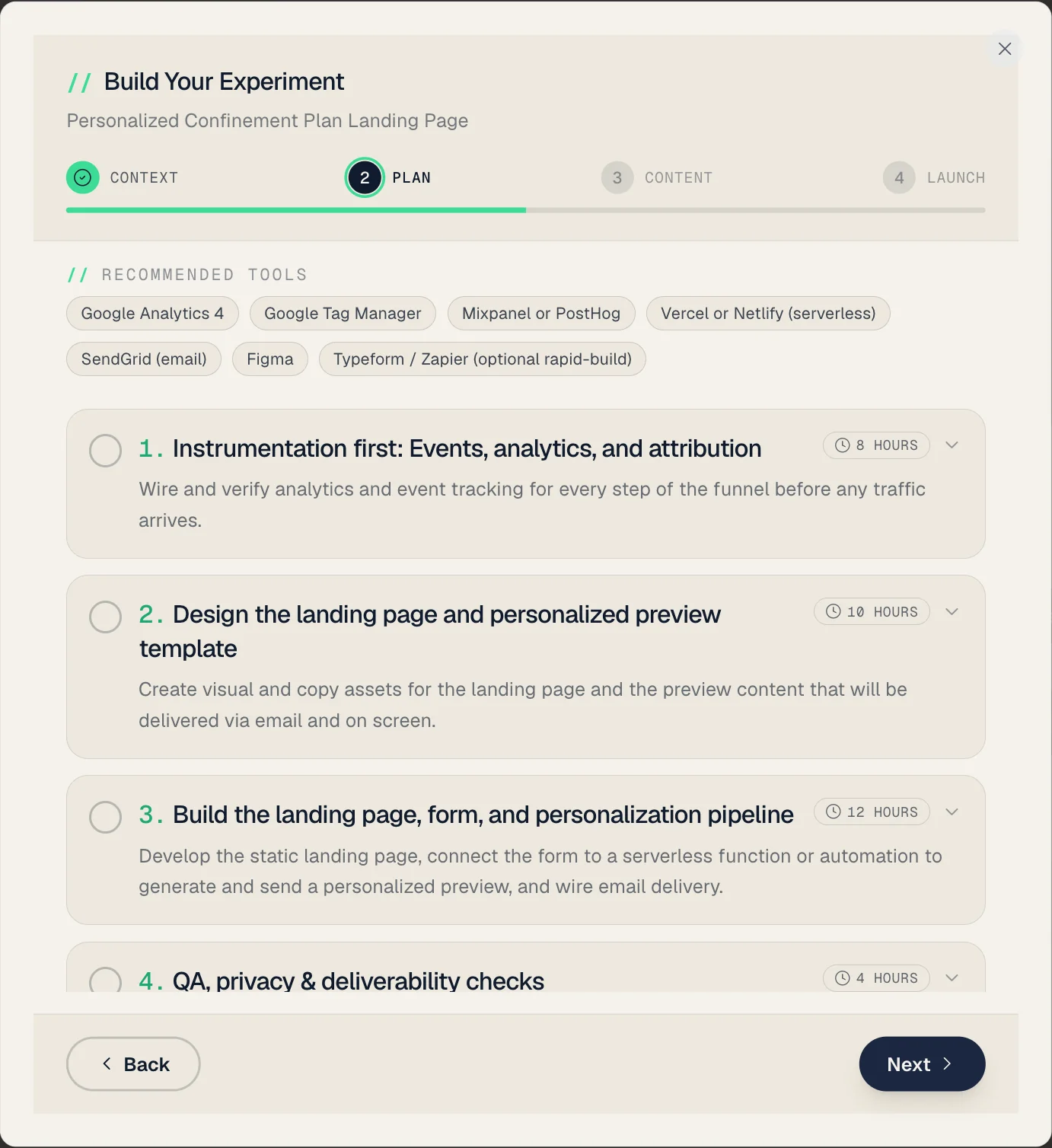
What is the Execution Wizard?
The Execution Wizard is a 4-step guided workflow that takes you from experiment design to launch readiness. It generates a complete execution plan using AI, tailored to your specific experiment and available resources.
The Four Steps
Step 1: Context Gathering
Provide information about your implementation context:
- Target audience details - Who specifically are you targeting?
- Available tools - Select from common marketing and development tools
- Time budget - How much time can you invest?
- Existing assets - What can you reuse (landing pages, email lists, etc.)?
- Additional resources - Any other context the AI should consider
💡 Tip: The wizard pre-populates fields from your experiment's design data (experiment map, description, audience info) so you don't have to re-enter information.
Step 2: AI Plan Generation
The AI generates a comprehensive execution plan including:
- Numbered execution steps - Each with title, description, detailed instructions, estimated time, and deliverables
- Recommended tools - Specific tools for each step based on your available resources
- A decision rule - Explicit ship / kill / iterate thresholds, so the result maps to a clear decision
- Key success factors - What matters most for this experiment to work
- Estimated total hours - Time investment for the complete implementation
Step 3: Draft Content
Review and edit AI-generated copy for your experiment:
- Headlines - Multiple variations to test
- Body copy - Primary content for your experiment
- CTA options - Call-to-action variations
- Email subject lines - If your experiment involves email
- Additional copy - Platform-specific variations
Step 4: Launch Checklist
A categorized pre-launch checklist to ensure nothing is missed:
- Each item is checkable with optional notes
- Items are grouped by category (Setup, Tracking, QA, etc.)
- Work through the items, then save. Your draft is auto-saved as you go, so you never lose progress
Saved Plans
Execution plans are automatically saved to the database. When you reopen the Execution Wizard for an experiment that already has a plan, it loads the existing plan so you can continue where you left off.
Once an experiment has a saved plan, its detail view shows a "Playbook ready" indicator (with the step count), and the build button becomes "View / edit playbook".
Getting Started
- Open any experiment from the Kanban board
- On the Details tab, click "Start Building This Experiment" (or "Set it up myself" from the Overview tab)
- Fill in context details (Step 1)
- Generate the AI plan (Step 2)
- Review and customize draft copy (Step 3)
- Work through the launch checklist (Step 4)
- Click "Save & finish" to save your plan and close
